SimCorp Dimension
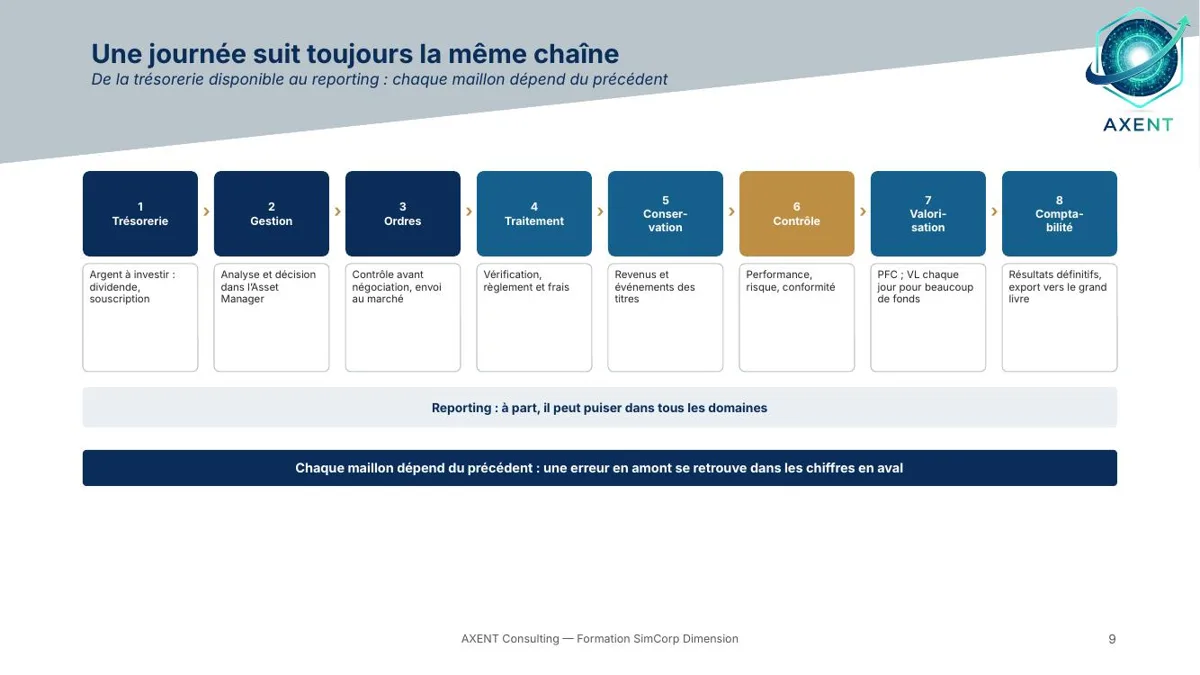
From front to back office: static data, transactions, PFC, accounting, data and administration, based on the case of an asset management company.
Access: an e-mail address is enough, you receive a sign-in code. Free modules need no bank card.
What you will be able to do
- Position SimCorp Dimension from front to back office and navigate its windows efficiently
- Read the reference data: instruments, portfolios, counterparties, currencies and market data
- Follow orders and transactions: entry, statuses, positions, settlement
- Use the PFC, accounting, corporate actions, fees, cash management and compliance
- Extract, import and automate: Data Extractor, imports, batch jobs, reporting
- Tackle performance, risk, fund accounting, migration and user rights management
Who it is for
Front, middle and back office teams, accountants and administrators at asset management firms who use or are deploying SimCorp Dimension.
Prerequisites
No prerequisites for the foundation modules; the advanced modules assume the earlier ones.
Included
- Video with chapters
- PDF slides
- Marked quiz
- Verifiable certificate
Programme
Fundamentals
- 00Introduction: SimCorp Dimension, from front to back
- 01Navigating: windows, grids, filters, shortcuts
- 02Instrument static data
- 03Portfolio, party and currency static data
- 04Market data and price profiles
- 05The life cycle of a transaction and its statuses
- 06Entering and checking everyday transactions
- 07Positions and holdings
- 08Monitoring a portfolio in the front office: management view, analyses, simulation
- 09Orders: place, execute, allocate
- 10The PFC: what it calculates, when it runs, where to read its results
- 11Accounting basics: accounting frameworks, statuses, entries
- 12DEX 1: your first extract
Intermediate
- 13Corporate actions: dividends, coupons, redemptions
- 14Settlement: instructions, accounts, STP
- 15Fees and commissions
- 16Treasury: forecasts and liquidity
- 17Compliance: pre-trade and post-trade rules
- 18End of period: EOP adjustments and balance booking
- 19The general ledger: configuring entries and export
- 20Importing data: formats, filters, transformations
- 21DEX 2: conditions, variables, setups and exports
- 22Automating: batch jobs and scheduled processing
Advanced
- 23Performance and risk: the middle office tools
- 24Fund accounting and NAV calculation
- 25Advanced PFC: accounting settings and projections
- 26Reporting: data model and reports
- 27Migration, environments and configuration transport
- 28Users, rights and governance
Training a team? Access for several employees, on quotation. admin@axent-consulting.com